Skip to content

School management software from preschool to high school

Your whole school on one screen.

From admissions to the school bus, from payments to the end-of-day report, everything lives in one place. The same Petek on the web, on phones and on tablets.

  • 16 modules
  • Web, phone and tablet
  • Every school's data kept separate
  • Turkish and English
  • No card required
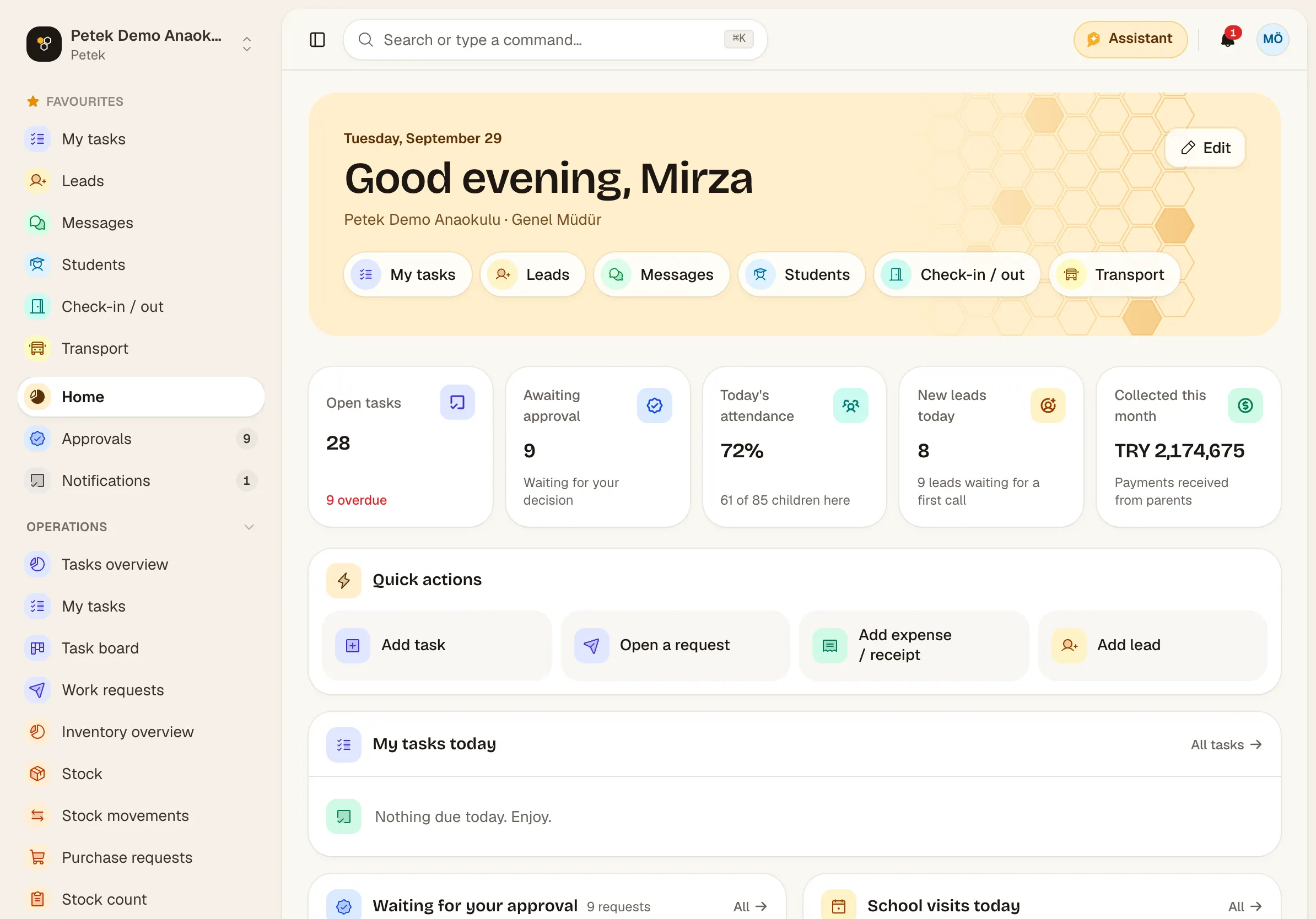
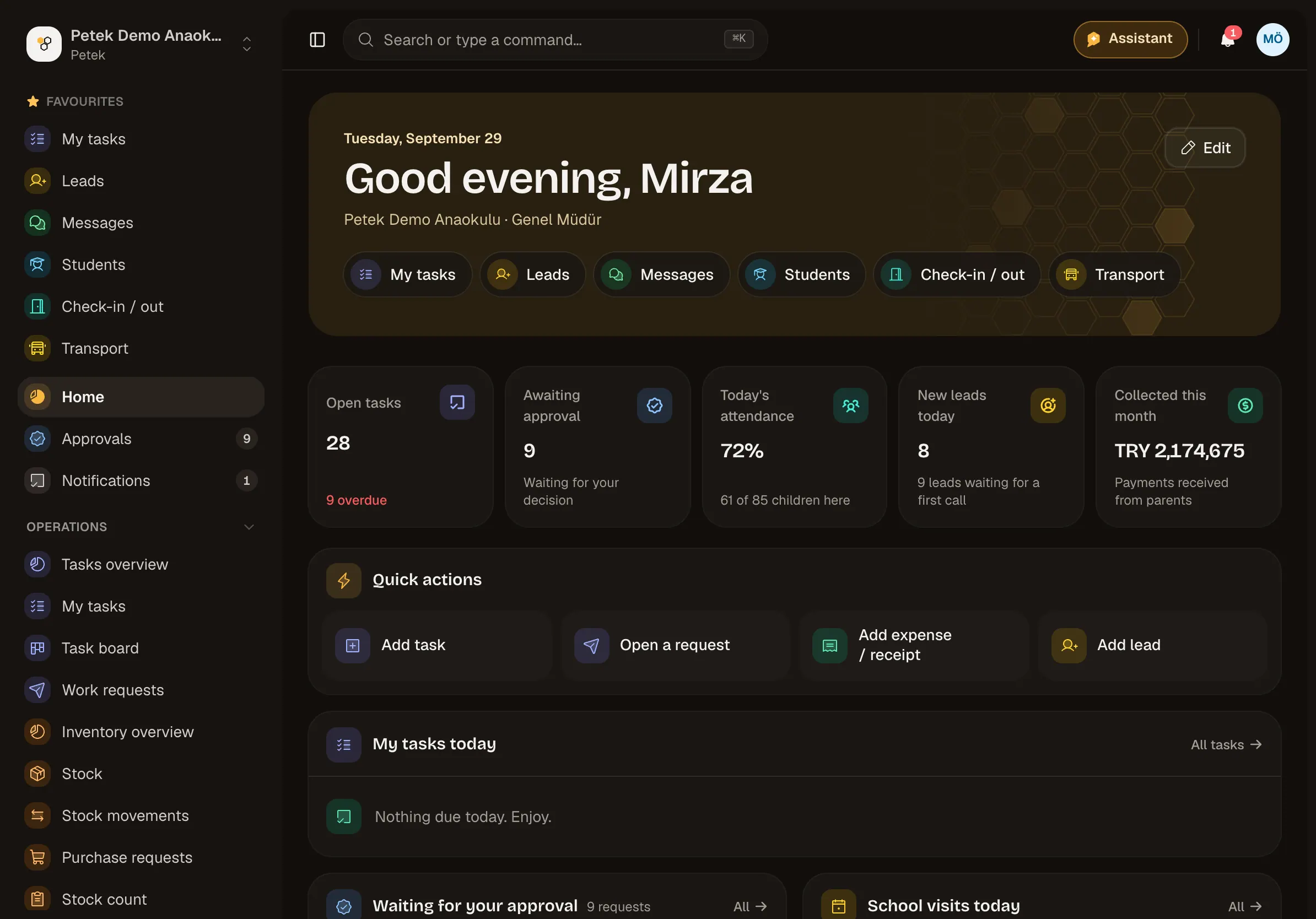
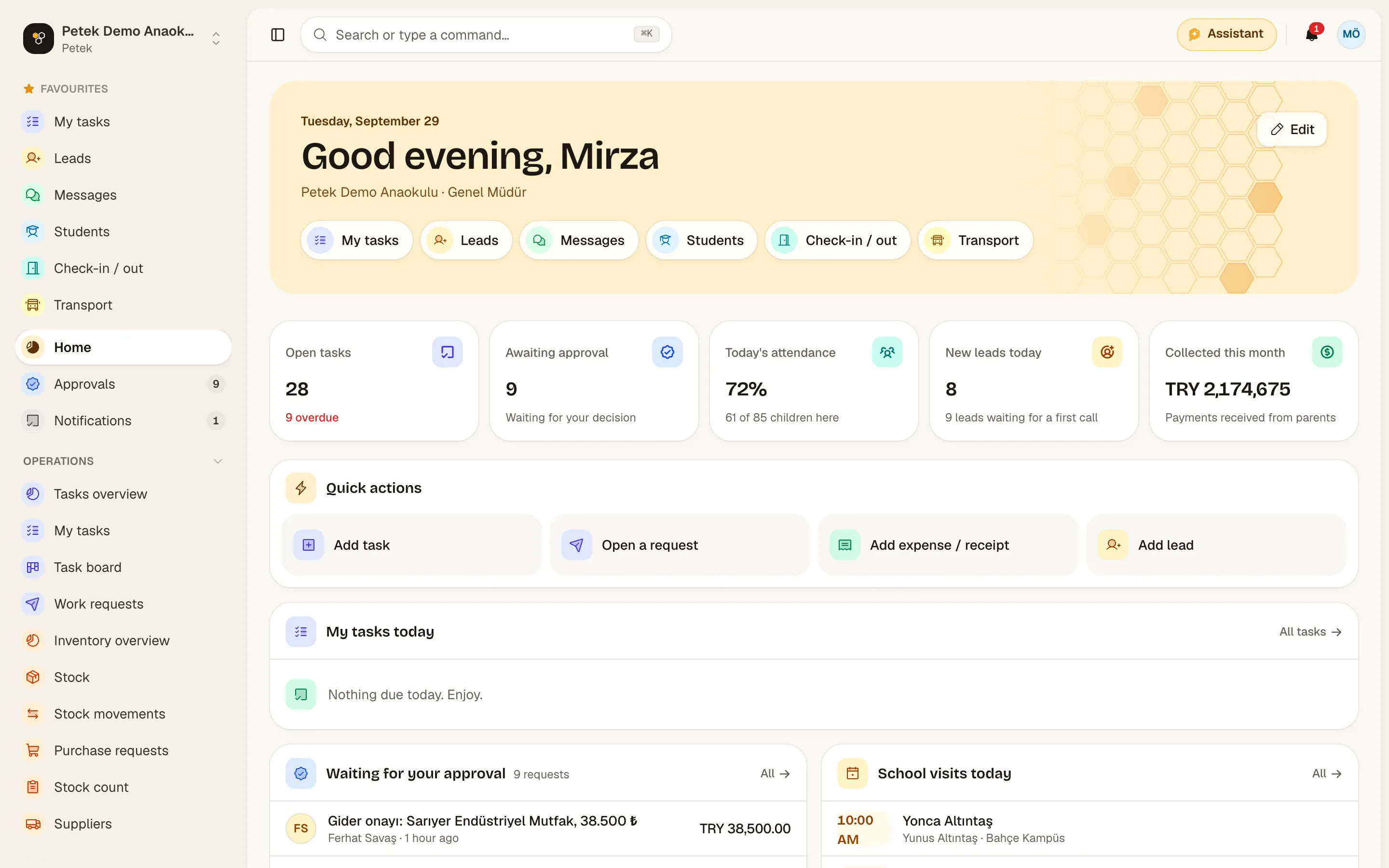
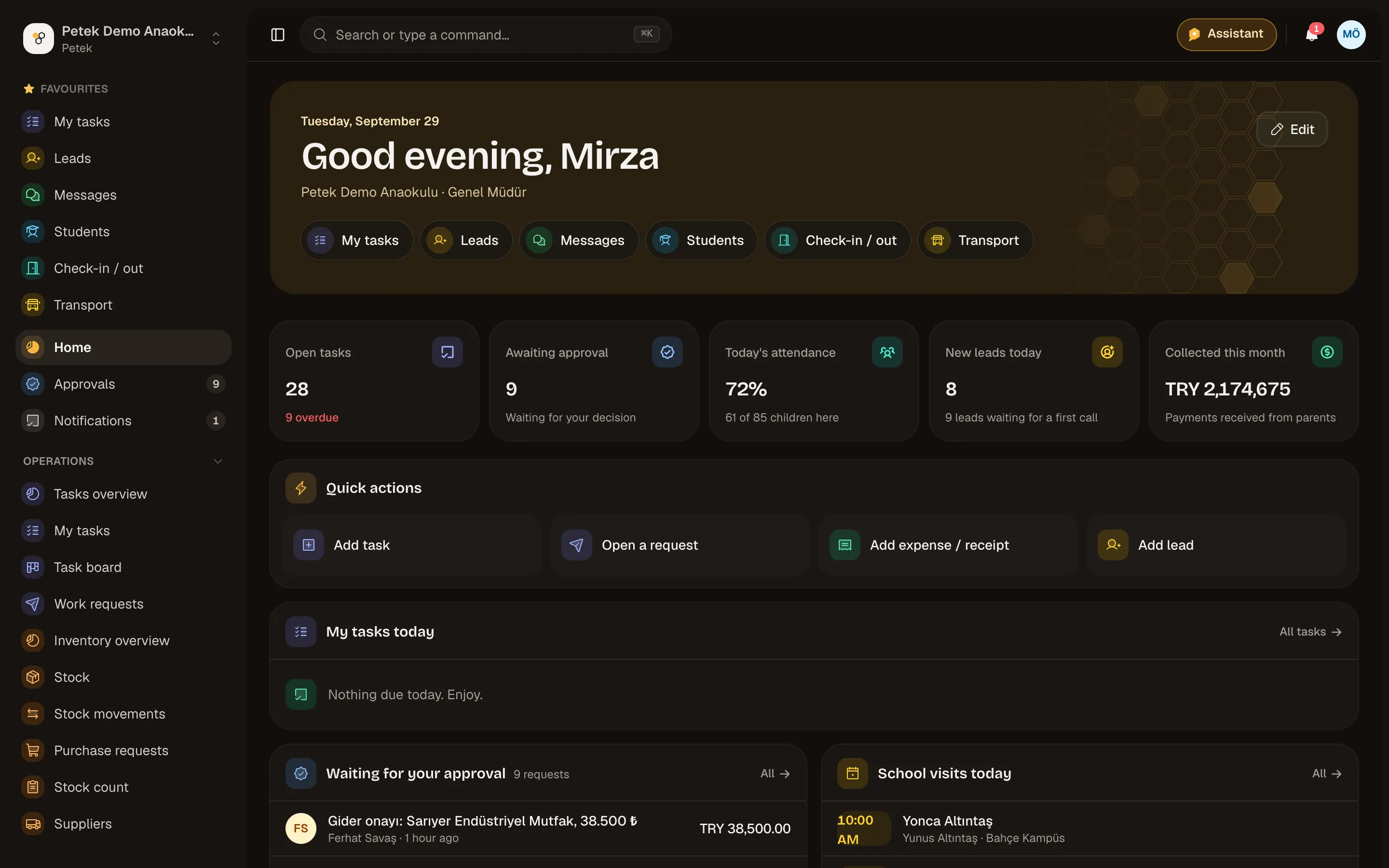
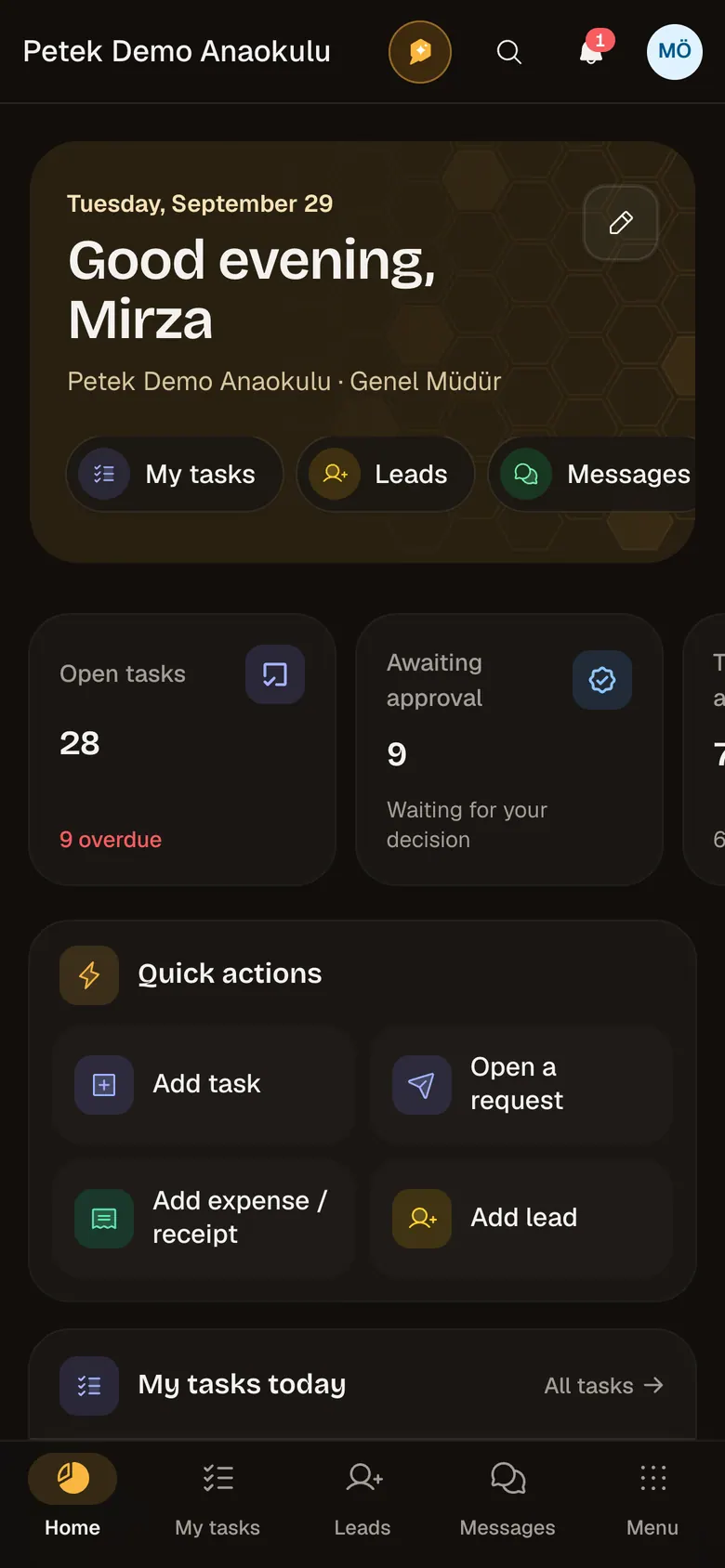
Petek home: today's numbers, tasks and shortcuts

Sound familiar?

Running a school means running ten things at once.

  • WhatsApp groups

    The kitchen's request, the bus driver's message and a parent's question share one thread. A few messages later, the important one has scrolled out of sight.

  • Excel files

    Who paid, who's late, which installment is due when? Every month you check the same spreadsheet from the top.

  • Lost notes

    A parent called and nobody called back. A promise was made and forgotten. No one knows who owns the job.

With Petek

Every task has a place. Every task has an owner.

  • Every request from a department becomes a task with an owner, a due date and a status.

  • Every prospective parent lands on a follow-up list, and Petek reminds you of the next call.

  • Every installment sits in its own record, and late payments show up on their own.

  • At the end of the day, you read the whole day in one report.

Features

Every module, in one tour.

Pick a module and see its screen. Each one works on its own; together, an admissions lead becomes a student, an installment becomes a payment, and a payment shows up in the end-of-day report.

School website

The school page parents see, with an admissions form wired into Petek.

Module page
  • Introduction, highlights and a photo gallery
  • Admissions form: applications go straight to the lead list
  • The school's own domain or a petek.school address
  • Branches, address, phone and directions

Depth in every module

Built around a school's real work.

Petek does more than keep records: it hands each child to the right person at the door, works out fees, issues invoices, brings the team into one place and sums up the day. From preschool to high school, here is what it does under six headings.

At the door and in class

1/6

From the moment a child arrives until they are handed over.

  • Door tablet

    The check-in screen stays at the door and only closes with an account password.

  • Roll without a connection

    Records wait on the device and are sent safely once the connection is back.

  • Do-not-release restrictions

    A child is never handed to someone without the right; the rule holds at every door.

  • Headcount, emergency list and drills

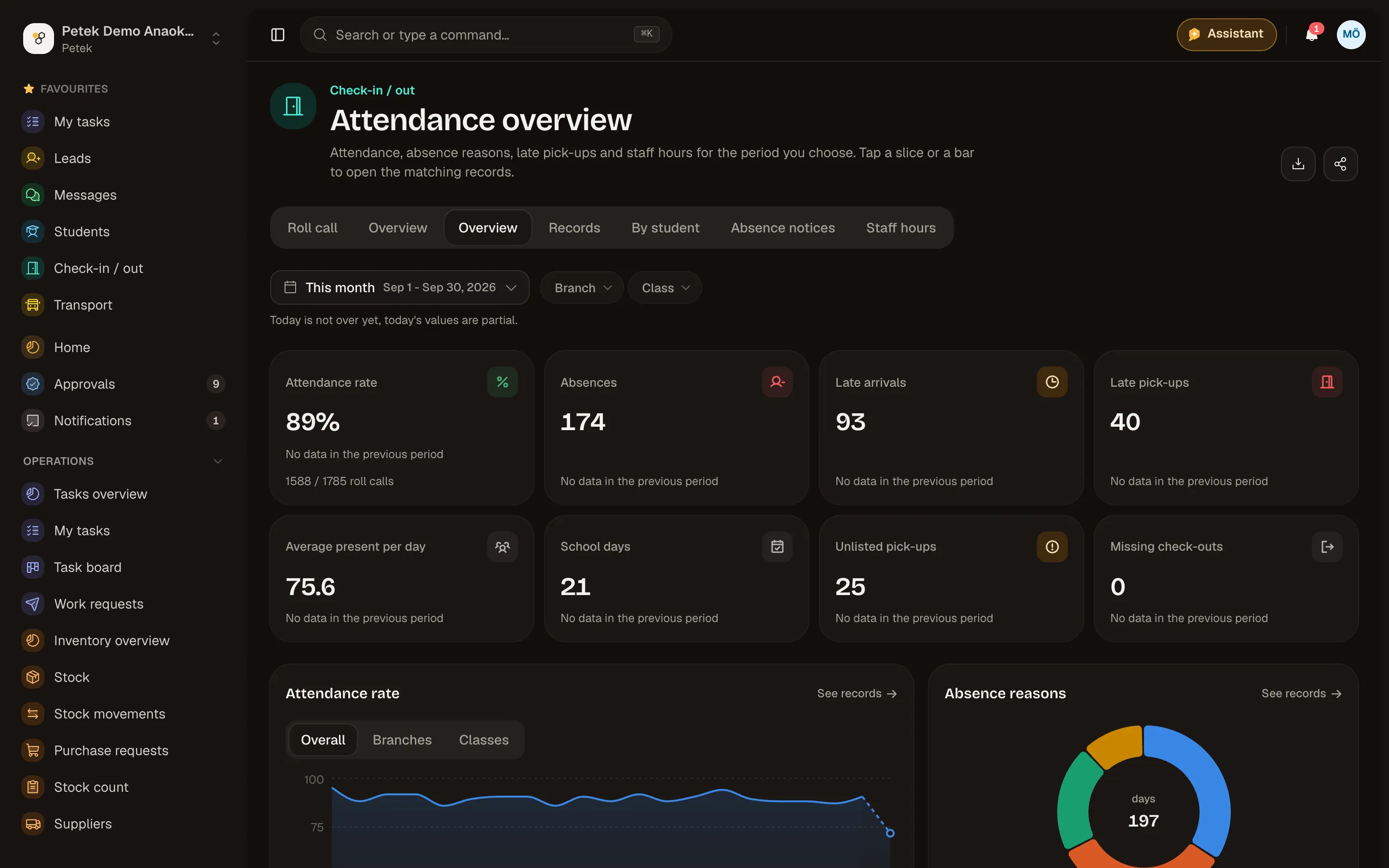
    Live ratio and Headcount on the class screen. The emergency list shows the children and staff inside right now with guardians' phones and opens offline on the phone. Drills are recorded through Headcount with a PDF record.

  • Lesson roll

    A lesson roll starts with the previous lesson's absentees, a double lesson is saved once for both periods, "Everyone's here" is one tap, and a roll not taken is a reminder to the teacher 10 minutes later. Primary school marks whole day, half day and late on one screen; each row shows the student's absence this year.

  • Clubs and branch lessons

    Capacity, an ordered waiting list and a roll for every session.
Money

2/6

From fees to collections, from collections to invoices.

  • Fee rules

    Fee items, discounts, late fees and refunds on leaving; the enrolment contract ready.

  • Price quotes

    Quotes for prospective families from your fee plans: PDF, link, WhatsApp, SMS or e-mail.

  • Flexible payments and statements

    Installments, bulk charges, cheques and promissory notes, student statements and current accounts.

  • e-Arşiv and e-Fatura

    Parent invoices through Nilvera, Paraşüt or Turkcell e-Şirket; incoming e-invoices are booked as an expense once.

  • Online payments

    Payment links, card payments, bank transfer reports and accounting approval.

  • Club fees

    The monthly fee is charged with a preview and one tap, never twice for the same month; occupancy and collection reports included.

Team and messages

3/6

Conversations inside the school, every job with an owner.

  • Staff messaging

    School, branch, department and class groups are created automatically.

  • From message to task

    A message becomes a task with an owner and a date in one tap.

  • Delivery and review

    Pin notes on a delivered file, approve it or ask for changes.

  • WhatsApp inbox

    The team answers messages to the school's line together.

  • SMS and announcements

    SMS through Netgsm; announcements to a class, a branch or every parent.

  • İYS and quiet hours

    No commercial message without consent; announcements in quiet hours wait until later.

Growth

4/6

No family gets lost between first contact and enrolment.

  • School website

    An introduction page and admissions form on the school's own domain.

  • Lead form ads

    Leads from Google and Meta forms land in your list automatically.

  • Follow-up calendar

    Planned call-backs, reminders and assignment to an advisor.

  • From quote to enrolment

    When a family accepts a quote, the fees go onto the student's account at enrolment.

  • Waiting list

    Priority order and next year's occupancy forecast.

  • Franchise network

    Royalties, audits and candidates of every school in the network, in one place.

Control and assurance

5/6

Clear who decides what and who sees what.

  • Four eyes

    Whoever opened a request, or gains from it, cannot decide it.

  • An audit log nobody can edit

    Who changed what, and when; entries cannot be deleted later.

  • View as

    See a team member's screen with their permissions; they are told.

  • Roles and scope

    Permissions at own record, department, branch or whole school level.

  • Encrypted pay data

    Salary, IBAN, SGK and ID numbers are stored encrypted.

  • KVKK consents

    Versioned texts, decisions per child and permission forms.

Smart tools

6/6

Petek does the repetitive work, you make the calls.

  • Smart fill

    Type or say a sentence and the form fills in; check it before you save.

  • Assistant

    Answers from your school's data, opens tasks and drafts messages with your confirmation.

  • Receipt reading

    The amount, date and vendor are read from a photo of the receipt.

  • Günün Özeti

    Every day at the same time the owner gets the roll, payments, leads and approvals.

  • Official lists

    PDF and Excel for MEB and the Ministry of Family, an absence list for e-Okul.

  • Overviews with charts

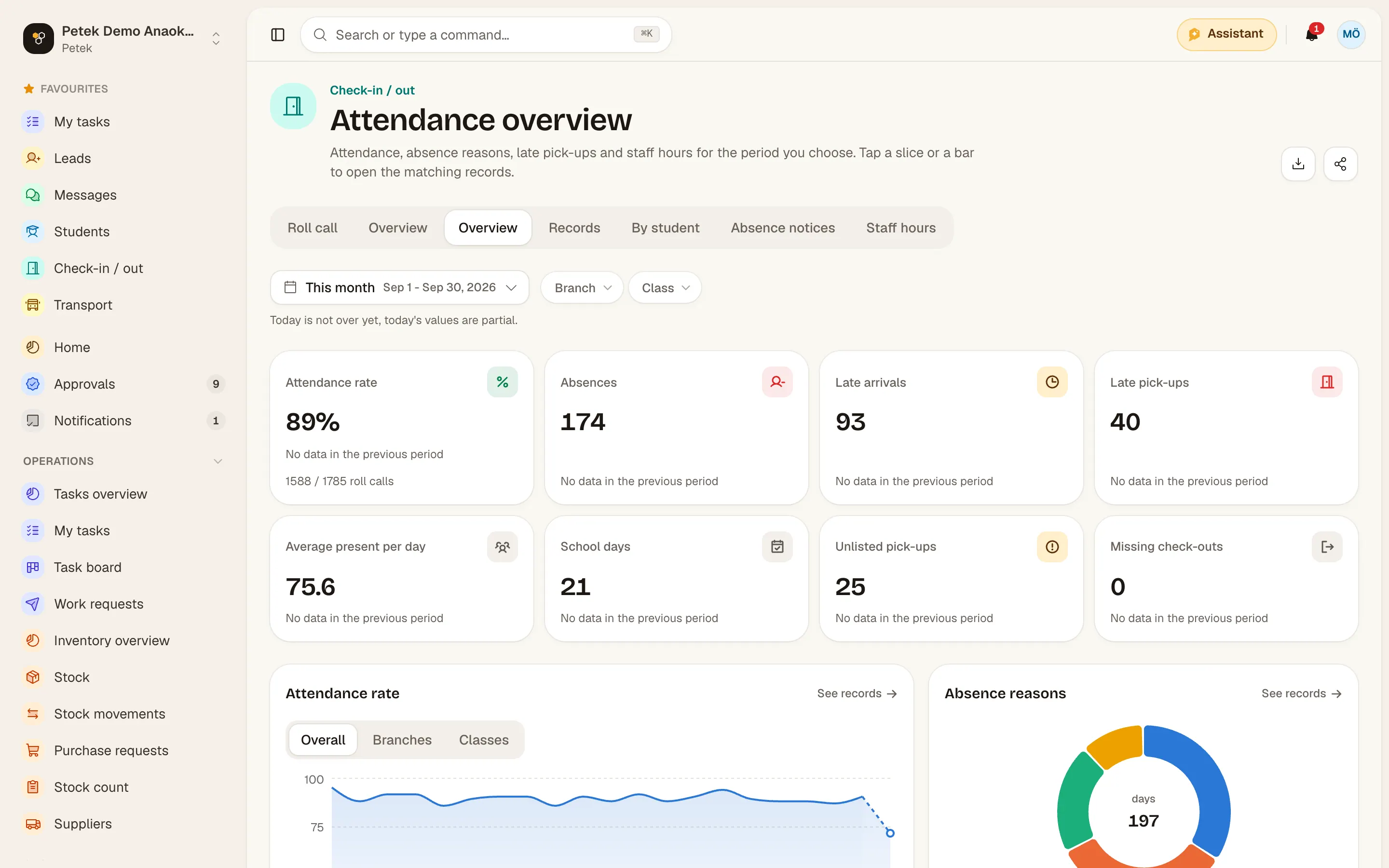
    An overview for every module, period comparison, sharing as PDF and through WhatsApp.

What Petek does for you

A different day for every role.

One school, four different screens. Everyone sees only their own work, within their permissions.

  1. Morning

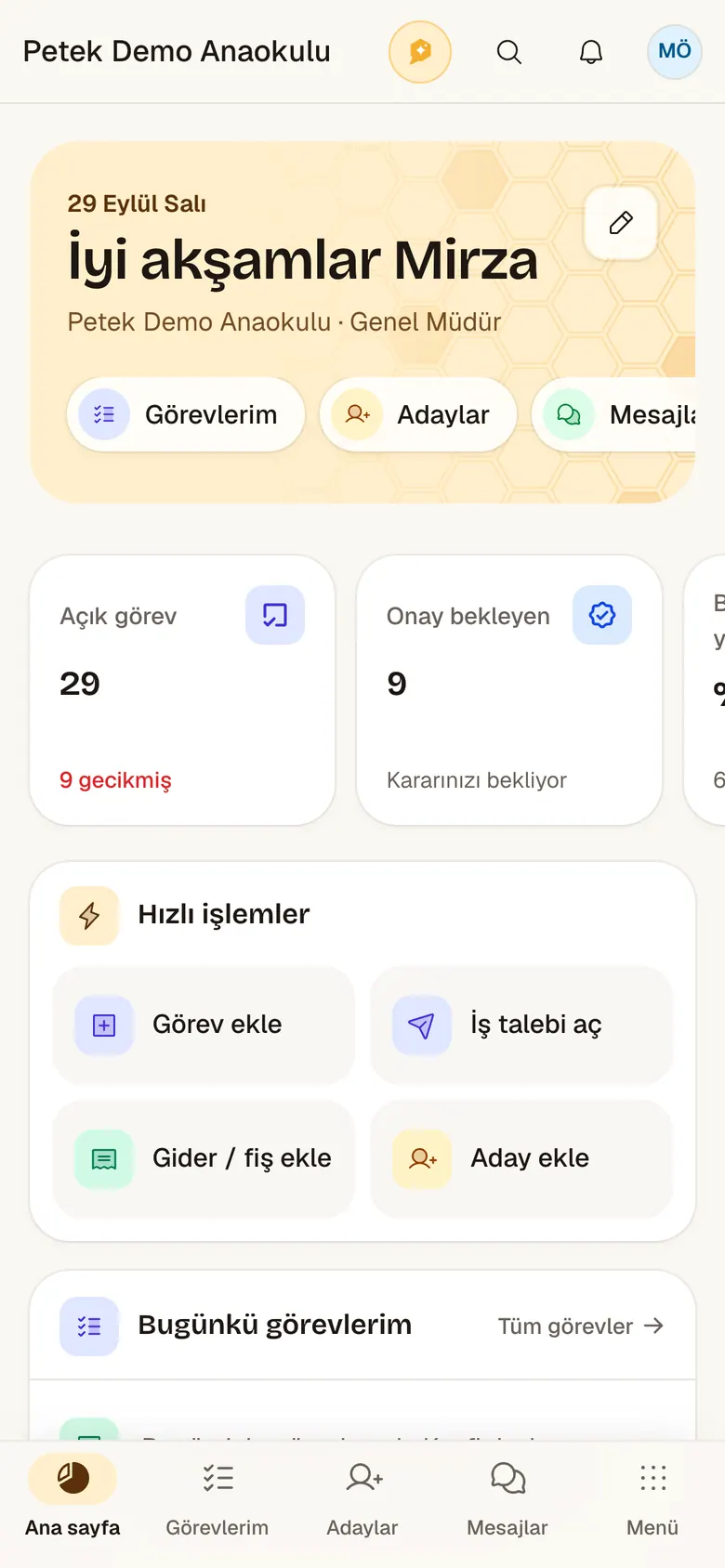
    Sees today's attendance, pending approvals and the month's payments on the home screen.

  2. During the day

    Approves purchase and leave requests from the phone and nudges whoever owns an overdue task.

  3. Evening

    Reads the end-of-day report and shares the weekly summary as a PDF with partners.

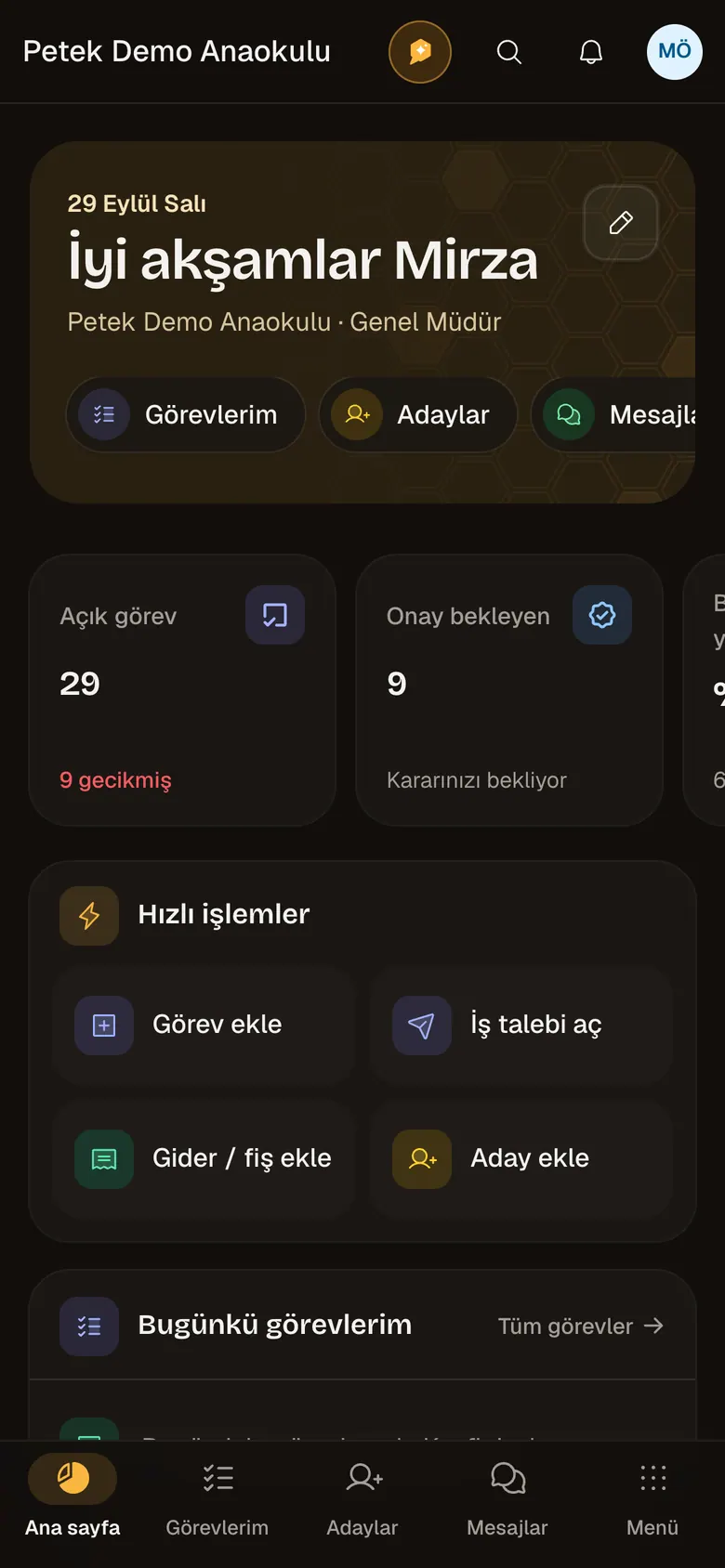
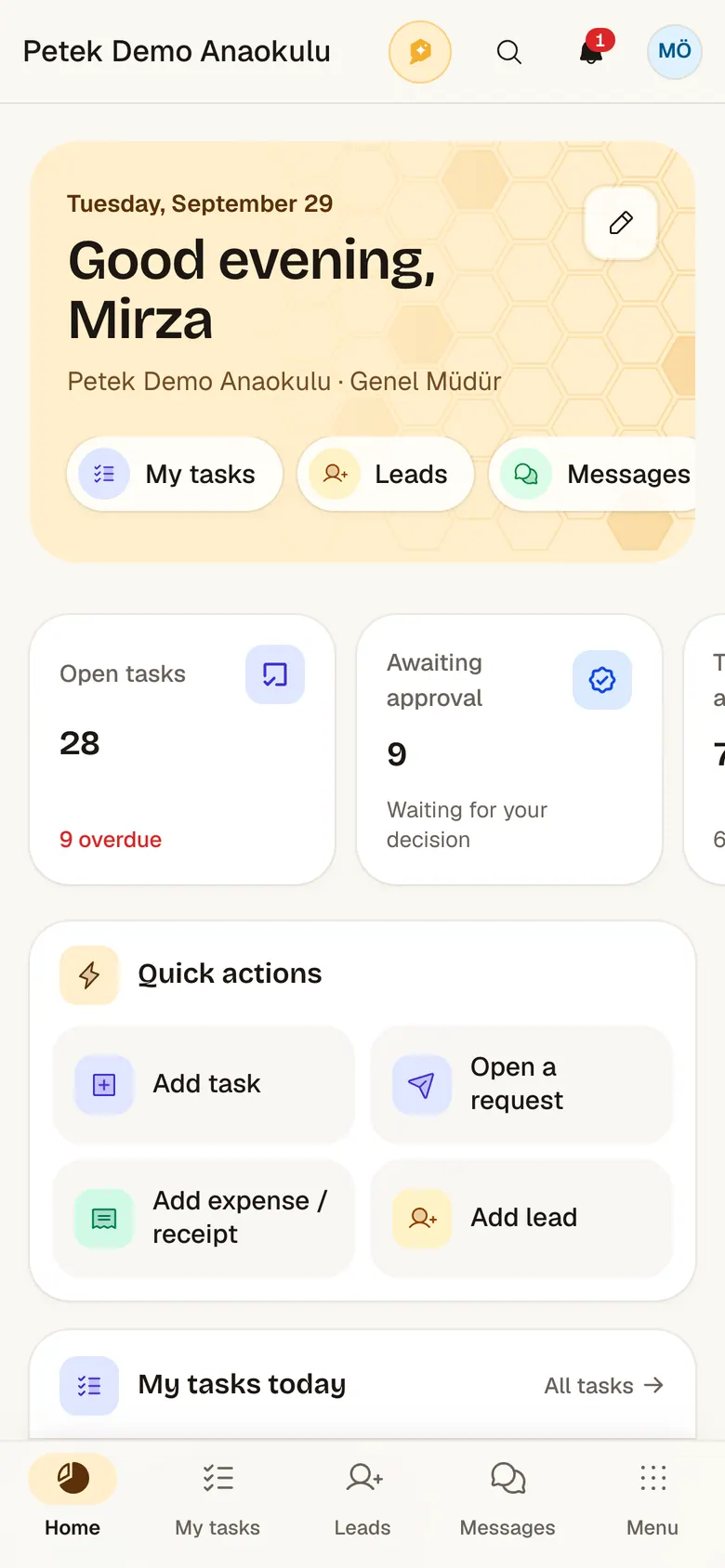
The founder's home on the phone

Security and KVKK

Children's data deserves the tightest protection.

In Petek every school's data is separated at the database level: one school's session cannot reach another school's records. On the Campus plan your school can also have a separate database of its own. Data is backed up every night.

Every school's data kept separate

Your school's records are separated from other schools at the database level by row-level security, so one school's session cannot see another school's records. On the Campus plan your school can have a separate database. Licensing is managed centrally by Onore.

Onore licensing center

Plan and module license

  • Your school

    Only its own data

    Backed up nightly

  • School B

    Only its own data

    Backed up nightly

  • School C

    Only its own data

    Backed up nightly

  • Automatic nightly backups

    Each school is backed up on its own every night. The last 14 nights and 8 weeks are kept, and one school can be restored without touching the others.

  • Data export for KVKK

    When a parent or staff member asks for their data, export the related records, and take your school's data with you in a portable format.

  • Roles and scope

    Permissions are granted by department, branch and person. Health, guidance and salary data need their own permission, and pay details are also stored encrypted.

  • Audit log

    Who changed what, and when, is recorded. The audit log cannot be edited or deleted afterwards.

  • Two-factor sign-in and encrypted keys

    Accounts are protected with an authenticator app code. POS, WhatsApp and email credentials are stored encrypted.

  • Hosting in Türkiye

    Schools that want it can have their database kept on servers in Türkiye.

How we approach security

Designed around a school's real day.

Petek was built around the work schools do every day: admissions calls, pickups at the door, the school bus, installments and requests between departments. Each module ties one of these jobs to an owner and a date.

Integrations

Works with the tools you already use.

From messaging to payments, from e-invoicing to lead form ads, the services schools use every day connect to Petek. Connections are set up in the school's settings, and credentials are stored encrypted.

Messaging and phone

  • WhatsApp Business

    Shared inbox, announcements and notices to parents

  • SMS and phone system call logs

  • Phone system call logs

Online payments

  • Card payments

  • Card payments

  • Card payments

  • Card payments

  • Bank virtual POS

    Garanti BBVA, Yapı Kredi, VakıfBank, QNB, Kuveyt Türk and banks on NestPay

e-Invoicing

  • e-Arşiv, e-Fatura and incoming invoices

  • Paraşüt

    e-Arşiv and e-Fatura

  • Turkcell e-Şirket

    e-Arşiv, e-Fatura and incoming invoices

Ads and lead forms

  • Google Ads

    Leads from lead form ads

  • Meta

    Facebook and Instagram lead form ads

Is your tool not on the list?

Let's build the integration with the system your school works with, together. Petek's REST API and per-school API keys are ready for it.

Talk about an integration

Brand names and logos belong to their owners.

Plans

Choose the plan that fits your school.

Every plan comes with a 30-day free trial. Pricing depends on your school: pick a plan, leave your details and our team will call you with a quote and contract.

Compare plans

Every module on every plan.15 modules, unlimited users; 16 with the franchise head office panel.

  • Essential

    For single-campus schools

    Priced for your school

    License
    Per school
    Users
    Unlimited
    AI actions a month (per school)
    300
    Storage (per school)
    25 GB
    Support
    E-mail and WhatsApp
    Setup and data transfer
    Remote, self-service
    Dedicated database
    Not included
    Franchise head office panel
    Not included
  • Professional

    For growing schools with several branches

    Priced for your school

    License
    Per school
    Users
    Unlimited
    AI actions a month (per school)
    1,000
    Storage (per school)
    100 GB
    Support
    Priority
    Setup and data transfer
    Remote, with a training session
    Dedicated database
    Not included
    Franchise head office panel
    Not included
  • Campus

    For colleges and large campuses

    Priced for your school

    License
    Per school
    Users
    Unlimited
    AI actions a month (per school)
    2,500
    Storage (per school)
    500 GB
    Support
    Priority, a named contact
    Setup and data transfer
    Included
    Dedicated database
    Included
    Franchise head office panel
    Not included
  • Franchise Network

    For school groups growing through franchising

    Priced for your school

    License
    Each school on its own plan
    Users
    Unlimited
    AI actions a month (per school)
    Follows each school's plan
    Storage (per school)
    Follows each school's plan
    Support
    Follows each school's plan
    Setup and data transfer
    Follows each school's plan
    Dedicated database
    Follows each school's plan
    Franchise head office panel
    Included

Every plan comes with a 30-day free trial. No card required.

Sales

Let's talk before you decide.

Tell us about your school and we will show you Petek through your own work. By video, by phone or at your school.

Petek is sold and set up by Onore.

signed

Ask Petek whatever is on your mind.

Our chat assistant knows every module, every plan and how we handle security. Ask away and it will point you to the right page.

FAQ

Questions you might have

  • How much work is moving to Petek?

    The Setup page walks you through getting your school ready. You bring your classes, students and guardians, staff and opening balances in with Excel or CSV; the student list exported from e-Okul is read as it is. Petek matches the columns itself, checks every row first (an invalid ID, a guardian listed twice, a class that does not exist) and adds the rows when you confirm. Uploading the same file again does not add anyone twice, and an import can be undone with one click while its records are not in use yet.

  • Can I add modules later?

    Every module is on in every plan. You can switch off the ones you do not use in the settings and turn them back on any time; your data stays where it is.

  • We have more than one branch. How does that work?

    Each branch shows up separately with its own students, staff and cash accounts. Management sees every branch together on one screen. Permissions are set per branch.

  • Where is our data kept?

    Each school's data is separated at the database level by row-level security; on the Campus plan a school can have a separate database of its own. Data is backed up every night and carried over encrypted connections. Schools that want hosting in Türkiye can choose it. Details are on the Security page.

  • Can we use it on a phone?

    Yes. Petek works the same on the web and on your phone. Your team handles attendance, approvals and tasks from their phones and gets notifications instantly.

  • How do we reach you when something goes wrong?

    From inside the app. On the web and in the iPhone and iPad app you open a ticket under Help and support; the screen you are on and the version are attached on their own, and you can add a screenshot. You are notified when the Petek team answers and follow the ticket in the same place. New features are announced under What's new.

  • How does the free trial work?

    For 30 days you use Petek with your school's real work. We don't ask for a card. If you want to continue at the end, we'll pick the right plan together.

  • Why aren't prices listed on the site?

    Pricing is per school (campus) and depends on the plan you choose; every plan has every module and there is no user limit. In a franchise network every school after the first costs less. After a short call, we prepare a quote that fits your school.

  • Which languages does it support?

    The Petek web app, the iPhone and iPad app, this website and the Ask Petek chat are available in Turkish and English, and each user picks their own language. PDF reports, payment pages and automated e-mails follow the chosen language.

Fit your school's day on one screen.

Try it for 30 days with your real work. If it's not for you, you pay nothing.